Before everything: I’m not a very terminal-command user and I use to rely on GUI. Although I’m open to learn if it’s a need. Imagine you are talking with a novice of linux, that has some months leaving windows. Adding to it, you’re not with the best expressing himself in English, so sometimes I could express things that will require patience from you all, it’s not my first language. 
I have Manjaro with Gnome in a virtual machine testing this experience, but as a host I’m on Cinnamon.
It seems that the only way to open apps it would be with CTRL + Super + Num (1-9), but if I use the normal command (Super + Num) it’ll switch between desktops.
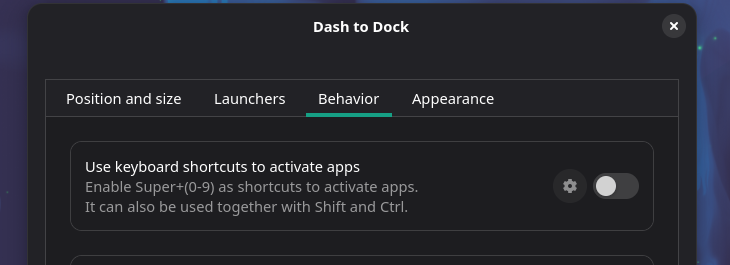
I also wasn’t able to configure it back or restore the default shortcuts by ticking and un-ticking the option of “use keyboard shortcuts to activate apps” as the image below. Likewise, deleting manjaro-gnome-extension-settings wasn’t that helpful.
Btw, I really think as a feedback to Manjaro, for the Gnome desktop, must rely with the original shortcuts as much as possible. At least for the opening of apps.
After issue, I really love Manjaro. You’re are talking with someone that admires this distro. 
Cheers! Merry Christmas