Eye of MATE image viewer, views .heic files well.
My desktop environment is GNOME.
Eye of MATE image viewer, views .heic files well.
My desktop environment is GNOME.
The OP’s DE is KDE.
However, there is no reason Eye of Gnome cannot be installed for use in KDE. EOG and the GTK heic plugin (presumedly installed with the geo-plugins package) should allow a valid alternative to using Gwenview.
Indeed, if the (GTK) plugin is installed with geo, other (non-qt) graphic viewers may well find the plugin and use it.
pacman -Si eog
pacman -Si eog-plugins
Install Eye of Gnome:
sudo pacman -S eog eog-plugins
Cheers.
If the OP insists on using Gwenview, I discovered:
which may also be worth investigating.
I am using Eye of MATE, not Eye of GNOME.
There is nothing wrong with Gwenview on Manjaro.
The filetype .heif opens as expected.
The reason this particular image does not - is contained inside the file.
What it is - I cannot say - I am not a specialist on images.
From https://filesamples.com/formats/heic it is explained that HEIC is
HEIC High Efficiency Image File Format
HEIC is a container developed by Apple for HEIF images. It is used for Live Photos on the IPhone due to its ability to store multiple image sequences.
This leads me to think that your image contains more than just an image - and that particular sequence cannot be interpreted by the version of gwenview available with Manjaro.
On my system
 $ gwenview --version
gwenview 24.08.2
10:15:27 ○ [fh@tiger] .../Downloads/sandbox
 $ ls -l
total 2804
-rw-r--r-- 1 fh fh 1083944 21 okt 09:48 IMG_20241019_195232.heif
-rw-r--r-- 1 fh fh  351970 21 okt 10:14 sample2.heic
-rw-r--r-- 1 fh fh  351970 21 okt 10:13 sample2.heif
-rw-r--r-- 1 fh fh  539090 21 okt 10:14 sample3.heic
-rw-r--r-- 1 fh fh  539090 21 okt 10:14 sample3.heif
The sample downloaded from can be openen by gwenview and okular - your image cannot.
I wonder if the extension bears significance as yours is .heif and the sample is .heic - but that is just a random thought.
It is however possible to open in gimp - which further points to how your image has been composited by the software in your xiamio device.
I have had similar issues over the years - one app can open - another cannot.
I suggest you compare the versions of the gwenview application - then share your findings with the KDE team in their bugtracker → bugz.kde.org
I believe that you can change the image format that your phone saves its pictures as to .jpg. It should be somewhere in the camera settings. Apparently these phones tell the user the first time the camera is used that heif-format pictures will take up a lot less storage space than jpegs, and users usually just go with that option, unaware that the format is not commonly used and cannot be read by many other image viewers/editors.
More about it here:
The article also infers that HEIF/HEIC is a “dead” format due to it being encumbered by heavily-defended patents:
HEIF/HEIC was invented by Apple, Canon, Nokia, and Samsung. It has many patents which are heavily defended, (especially by Nokia and Apple). The format is used in products made by Apple, Canon, Nokia, and Samsung, and practically nowhere else.
The future looks to be the AV1 (AVIF) image format by the Alliance for Open Media, which is supported by:
Adobe, Amazon, AMD, Apple, ARM, Broadcom, Chips & Media, Cisco, Google, Huawei, Intel, LG, Meta (Facebook), Microsoft, Mozilla (FireFox), Netflix, nVidia, Oppo, Realtek, Roku, Samsung, VLC, Vimeo, and Western Digital, just to name a few.
But JPEG will still be around for quite some time, as AVIF requires more processing power to encode images.
Which is also GTK based, if I’m not mistaken.
In any case, it is Eye of Gnome that I’m more familiar with, which is why I mentioned it.
However, I don’t see why the OP is having these issues with Gwenview… These heic samples open as expected without issue for me (KDE).
Perhaps their files are physically damaged, or contain non-standard data. For all we know, the files could be another format renamed as heic; this is quite possible if the files were for example randomly downloaded from the Internet. 
The OP seems to want there to be an issue with Manjaro, based on it working in KDE on another distribution.
Clearly, if others have no issues opening heic files in Gwenview (while using Manjaro KDE) then there is no such issue. Something else must be in play.
I have no thoughts as to what that might be.
I am sorry, I did not know that Eye of Gnome exists, it does not show up in Manjaro repositories.
It’s assuredly there (in extra).
I suppose the package name might help: 
pacman -Si eog
pacman -Si eog-plugins
Eye of Mate is also in extra:
pacman -Si eom
Cheers.
Your image loads OK, on eye of mate and eye of gnome.
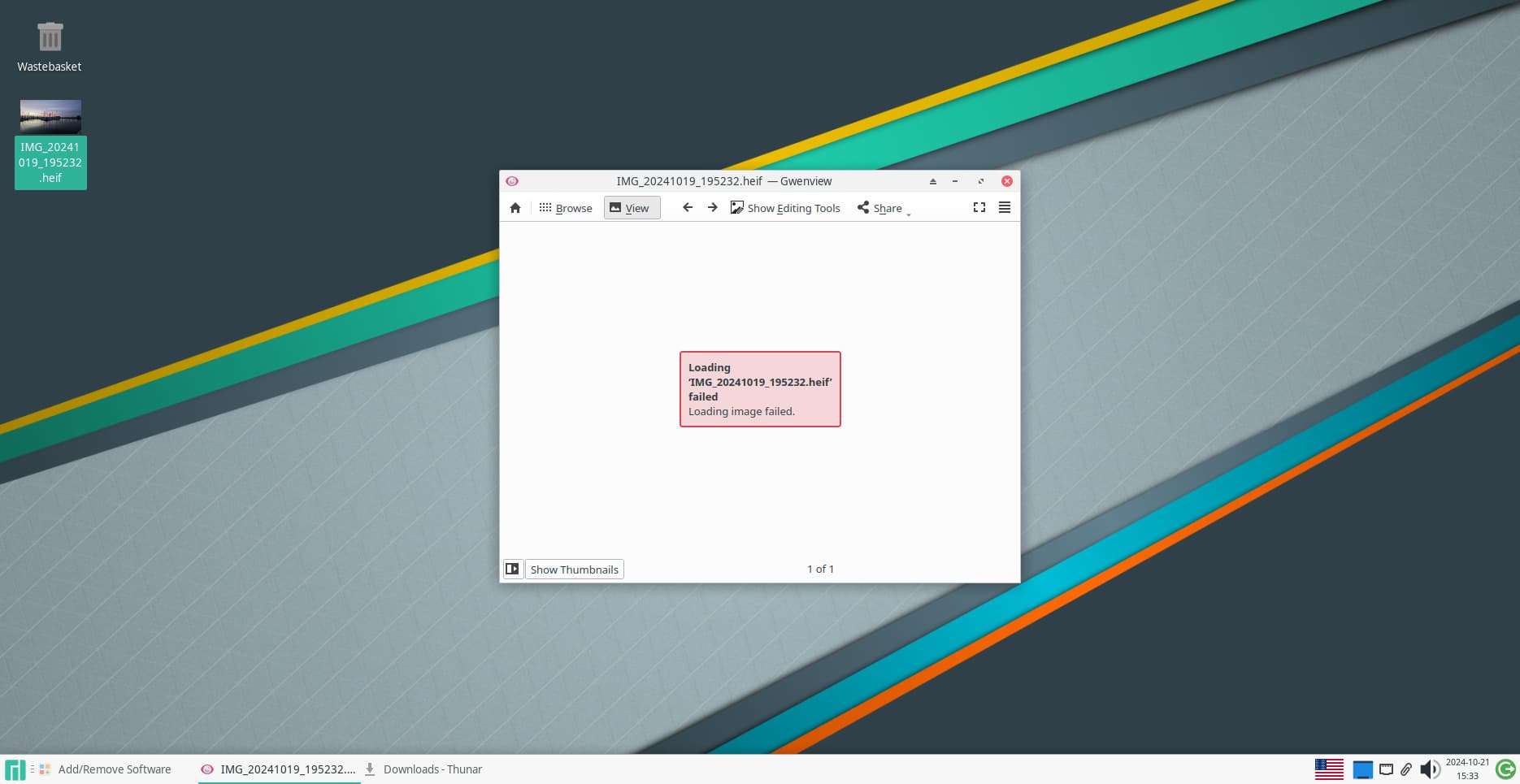
I tried gwenview with all optional dependencies installed, in a Manjaro XFCE virtual machine, and gwenview does NOT work.
HEIF images from my Samsung phone and my friend’s iPhone work just fine in Manjaro’s Gwenview. There is something nonstandard about OP’s HEIF images that Gwenview doesn’t recognize.
Indeed. This is what needs to be addressed.
I’ve suggested it’s the colour profile which is the issue here, but it’s just my estimation based on the error messages. Certainly changing such makes the image readable by Gwenview etc. and no other errors are reported.
…
It’s a proprietary “format”, as already mentioned. Conversion is the answer for existing images — make them universally compatible; change the phone’s save format as this will avoid future problems.
Optional dependency kimageformats with libheif should support .heif images
If not, this should also work
HEIF support · Issues · Gwenview · GitLab
Daniel Novomeský @novomeskyd · 3 years ago
The HEIF patch is available in this repo: github.com/jakar/qt-heif-image-plugin
I have a realme gt neo2 5g phone. I disabled heif in camera settings, and now the camera app creates .jpg files.
Ok, thank you for all your answers. Once again, I want to be clear:
I know about the workarounds, I know I can ditch saving my photos in .heif, but the problem will still carry on for future users who want to achieve perfection from their OS :)). If there is one distro which made it work, I’m 100% sure, it can work on all distros. I will install TuxedoOS in a VM and I will check the list of packages. Maybe, something will come into my attention.
ImageMagick’s command line tool display can view the file. So, this command:
$ magick "IMG_20241019_195232.heif" "IMG_20241019_195232-b.heif"
produces a working image that Gwenview can read.
edit: EXIF seems dead-ish after that.
Your phone creates faulty or nonstandard HEIF files. Don’t blame other software because it can’t read them.
As noted above. This is another indication of the following:
… mentioned several times already here, by myself and others.
Clue: EXIF data should not be affected by converting the image format, unless you explicitly choose to edit or remove it.
I’d like to reassert that it’s these files at fault, not the actual format itself (e.g. with images correctly created with such).
I’d be interested to know what other distros can deal with this image natively.
There is no .heif issue in Manjaro
There is just an issue with the .heif file format your phone employs.
Your file is the only one that can’t be opened - all other ones work.
As you said:
TuxedoOS does display it - TuxedoOS in it’s current form is rather old software - based upon a 3 year old Ubuntu LTS version.
As I said:
there is also no issue opening your file with Debian 12 (Bookworm) - the current stable Debian release.
But these two are using older Software than Manjaro does.
The old implementations of the software might not care too much about certain features, how the the file is read and interpreted.
Thus:
it works.
The newer implementations are (maybe) more strict, more correct - and thus will choke on the particular implementation of .heic that your phone produces.
Me:
I blame it on the phone (it’s software).
In Linux Mint Vera (the version prior to the current one)
I cannot open it.
In Debian 12 (Bookworm) - Bunsenlabs uses that - it works.
Mint Wilma (the most recent one) - I don’t know because I did not test.
current TuxedoOS is 3 years behind Manjaro/Arch and at least 2 years behind Debian stable (Debian 12 aka Bookworm)
Check if a similar issue has been reported upstream - Issues · Graphics / Gwenview · GitLab
If not, open a new issue report and include relevant data
The OP still hasn’t posted the version numbers of the Gwenview program on each system for comparison, although stating “they are the same” … are we sure? … and what errors are being ignored by the one which “works”?
This reminds me of people trying to mount NTFS partitions which “worked” with the old version of NTFS support, but not with (IIRC) ntfs-3g (don’t quote me on that!).