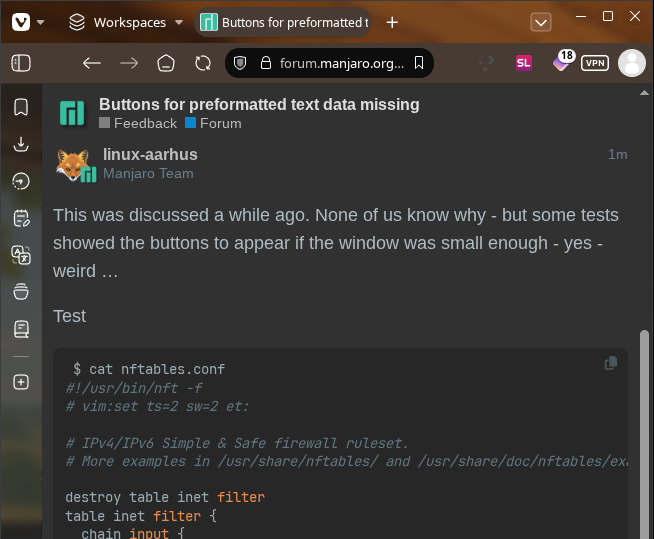
Pre-formatted text data used to have 2 buttons in top right corner, to copy text to clipboard or open a wider window to View code
Feature is still available on other Discourse fora
Pre-formatted text data used to have 2 buttons in top right corner, to copy text to clipboard or open a wider window to View code
Feature is still available on other Discourse fora
This was discussed a while ago. None of us know why - but some tests showed the buttons to appear if the window was small enough - yes - weird …
Test
 $ cat nftables.conf
#!/usr/bin/nft -f
# vim:set ts=2 sw=2 et:

# IPv4/IPv6 Simple & Safe firewall ruleset.
# More examples in /usr/share/nftables/ and /usr/share/doc/nftables/examples/.

destroy table inet filter
table inet filter {
  chain input {
    type filter hook input priority filter
    policy drop

    ct state invalid drop comment "early drop of invalid connections"
    ct state {established, related} accept comment "allow tracked connections"
    iif lo accept comment "allow from loopback"
    meta l4proto { icmp, icmpv6 } accept comment "allow icmp"
    tcp dport ssh accept comment "allow sshd"
    pkttype host limit rate 5/second counter reject with icmpx type admin-prohibited
    counter
  }
  chain forward {
    type filter hook forward priority filter
    policy drop
  }
}
Firefox HTML/CSS inspection shows buttons set to opacity:0 and visibility:hidden if min-width: 40rem:
<button class="btn nohighlight copy-cmd btn-flat" aria-label="copy code to clipboard"><svg class="fa d-icon d-icon-copy svg-icon fa-width-auto svg-string" width="1em" height="1em" aria-hidden="true" xmlns="http://www.w3.org/2000/svg"><use href="#copy"></use></svg></button>

@media (min-width: 40rem) {
  .codeblock-buttons .copy-cmd:not(.action-complete), {
    opacity: 0;
    transition: .2s;
    visibility: hidden;
  }
}
<button class="btn nohighlight fullscreen-cmd btn-flat" aria-label="show code in full screen"><svg class="fa d-icon d-icon-discourse-expand svg-icon fa-width-auto svg-string" width="1em" height="1em" aria-hidden="true" xmlns="http://www.w3.org/2000/svg"><use href="#discourse-expand"></use></svg></button>

@media (min-width: 40rem) {
  .codeblock-buttons .fullscreen-cmd:not(.action-complete) {
    opacity: 0;
    transition: .2s;
    visibility: hidden;
  }
}
Buttons can be made visible again using this CSS override
@media (min-width: 40rem) {
  .codeblock-buttons .copy-cmd:not(.action-complete), .codeblock-buttons .fullscreen-cmd:not(.action-complete) {
    opacity: 1;
    visibility: visible;
  }
}
Check again - I think there may be some old bug or ?? in the customisation somewhere.
I have fiddled with earlier today - and I think I solved it now.
EDIT:
I checked with EndeavourOS forum - it was the same CSS on Manjaro Forum - now we have an offshoot css but only on the default Manjaro theme.
New CSS confirms it is solved:
@media (min-width: 40rem) {
  .codeblock-buttons .copy-cmd:not(.action-complete), .codeblock-buttons .fullscreen-cmd:not(.action-complete) {
    opacity: .7;
    transition: .2s;
    visibility: visible;
  }
}
How to pronounce "Endeavour" - #2 by Bryanpwo - Linux lounge - EndeavourOS
Endeavour is British-English and in America it’s spelled Endeavor
I have it now!!!