Hey i am on my phone and honestly not if i am posting correctly, but i got a issue, i installed the updates and rebooted, and came back to this
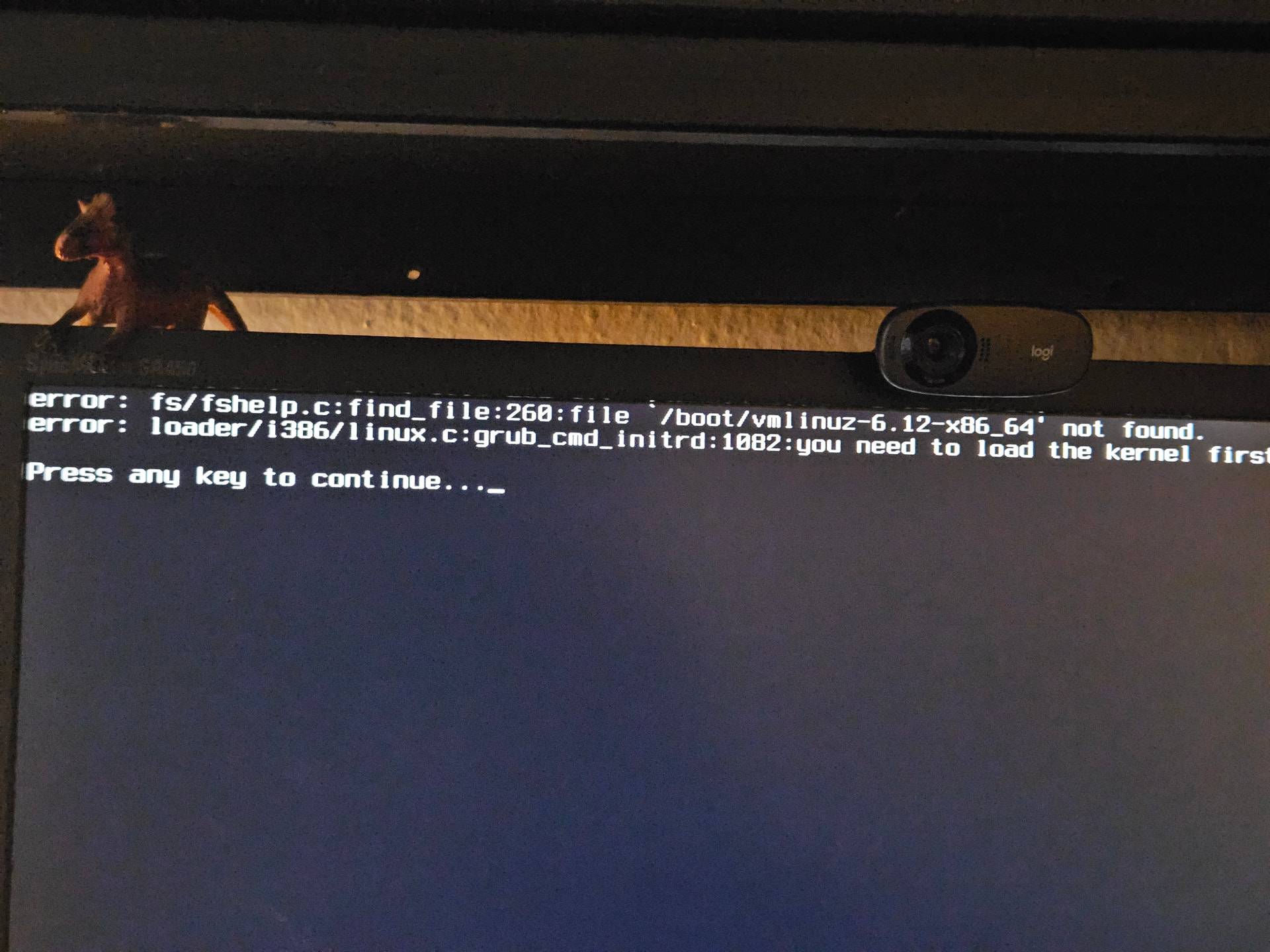
Not exactly sure what is going on here, but is my kernel missing?
Help would be greatly appreciated.
Hey i am on my phone and honestly not if i am posting correctly, but i got a issue, i installed the updates and rebooted, and came back to this
Help would be greatly appreciated.
The update may have been corrupted somehow. If you have a Manjaro USB stick this can be fixed
That looks like it is indeed the case, i have gotten a little progress with a reinstall of a older kernel, but that looks to not work with plasma.
Continuing the hunt
it is working now, had to reinstall a kernel 612 with headers and plasma-desktop.
i have added kernel 618 as a backup.
think i was on 6.12.77 when this happened, has that been removed or depricated ?
6.12 is an lts kernel, it is supported.
The direct cause is that the kernel and the initramdisk are missing.

It is perfectly safe to interrupt the process at this stage.
—and, above all, to completion. Otherwise, the computer will no longer be bootable.
If the process is terminated prematurely, the kernel and initramdisk will be missing from the hard drive (or SSD). However, the computer will still be running on the old kernel, which remains loaded in RAM.
and attempt to reboot, you will find yourself in a real mess.
you can simply run the update again. In most cases, everything will be back to normal afterward. Then you can (and should) reboot
