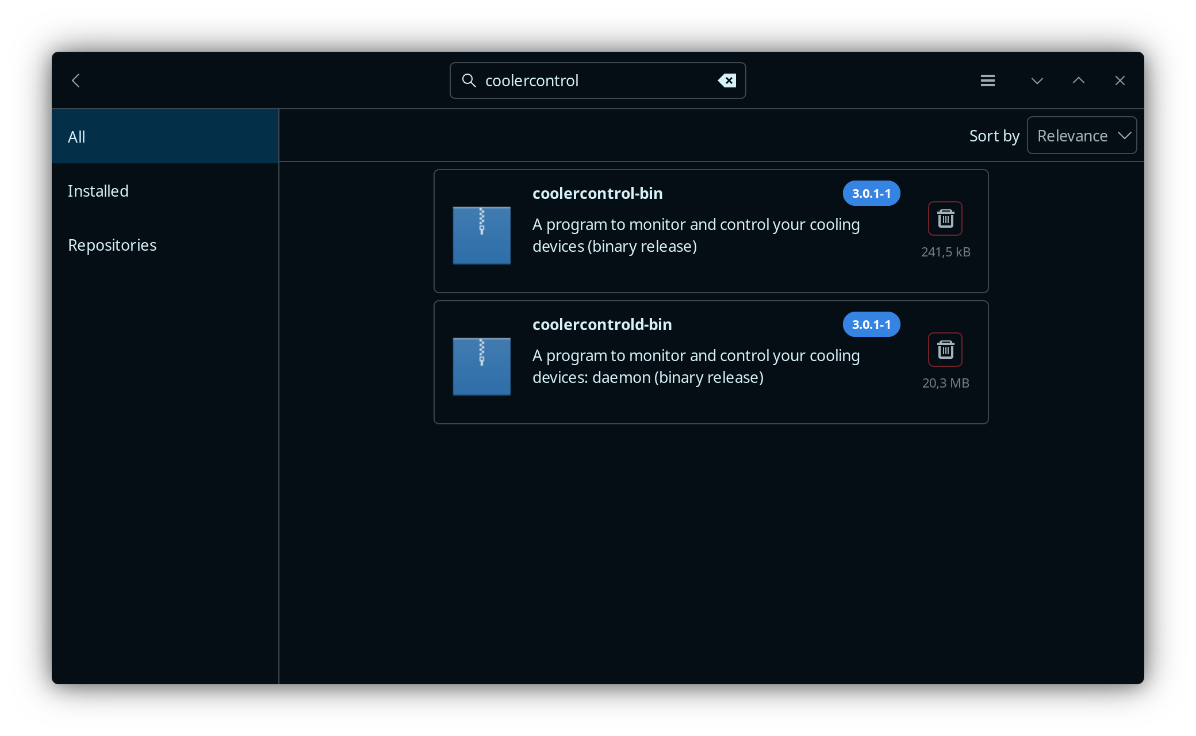
Error wants me to install GNU M4, which I cant find:
Cloning into 'fakeroot'...
done.
==> Starting prepare()...
libtoolize:   error: One of these is required:
libtoolize:                 gm4 gnum4 m4
libtoolize:   error: Please install GNU M4, or 'export M4=/path/to/gnu/m4'.
./bootstrap: line 19: autoreconf: command not found
==> ERROR: A failure occurred in prepare().
    Aborting...
 -> error making: fakeroot-git-exit status 4
checking dependencies...

Packages (4) perl-mime-charset-1.013.1-5  perl-unicode-linebreak-2019.001-9  perl-yaml-tiny-1.76-2
             po4a-0.73-1

Total Removed Size:  4,25 MiB

:: Do you want to remove these packages? [Y/n]
:: Processing package changes...
(1/4) removing po4a                                           [##################################] 100%
(2/4) removing perl-yaml-tiny                                 [##################################] 100%
(3/4) removing perl-unicode-linebreak                         [##################################] 100%
(4/4) removing perl-mime-charset                              [##################################] 100%
:: Running post-transaction hooks...
(1/1) Arming ConditionNeedsUpdate...
 -> Failed to install the following packages. Manual intervention is required:
fakeroot-git - exit status 4
PAKtC
Freshly installed Manjaro:
inxi -Farz ✔
System:
Kernel: 6.12.48-1-MANJARO arch: x86_64 bits: 64 compiler: gcc v: 15.2.1
clocksource: tsc avail: hpet,acpi_pm
parameters: BOOT_IMAGE=/@/boot/vmlinuz-6.12-x86_64
root=UUID=ddd0a425-4318-460a-8a6e-486102175cb6 rw rootflags=subvol=@
quiet splash udev.log_priority=3
Desktop: KDE Plasma v: 6.3.6 tk: Qt v: N/A info: frameworks v: 6.18.0
wm: kwin_x11 vt: 2 dm: SDDM Distro: Manjaro base: Arch Linux
Machine:
Type: Desktop System: Gigabyte product: Z390 AORUS PRO v: N/A
serial: <superuser required>
Mobo: Gigabyte model: Z390 AORUS PRO-CF v: x.x
serial: <superuser required> uuid: <superuser required>
UEFI-[Legacy]: American Megatrends v: F12d date: 12/18/2019
CPU:
Info: model: Intel Core i7-9700K bits: 64 type: MCP arch: Coffee Lake
gen: core 9 level: v3 note: check built: 2018 process: Intel 14nm family: 6
model-id: 0x9E (158) stepping: 0xC (12) microcode: 0xF8
Topology: cpus: 1x dies: 1 clusters: 8 cores: 8 smt: <unsupported> cache:
L1: 512 KiB desc: d-8x32 KiB; i-8x32 KiB L2: 2 MiB desc: 8x256 KiB
L3: 12 MiB desc: 1x12 MiB
Speed (MHz): avg: 800 min/max: 800/4900 scaling: driver: intel_pstate
governor: powersave cores: 1: 800 2: 800 3: 800 4: 800 5: 800 6: 800 7: 800
8: 800 bogomips: 57616
Flags-basic: avx avx2 ht lm nx pae sse sse2 sse3 sse4_1 sse4_2 ssse3 vmx
Vulnerabilities:
Type: gather_data_sampling mitigation: Microcode
Type: indirect_target_selection status: Not affected
Type: itlb_multihit status: KVM: Split huge pages
Type: l1tf status: Not affected
Type: mds mitigation: Clear CPU buffers; SMT disabled
Type: meltdown status: Not affected
Type: mmio_stale_data mitigation: Clear CPU buffers; SMT disabled
Type: reg_file_data_sampling status: Not affected
Type: retbleed mitigation: IBRS
Type: spec_rstack_overflow status: Not affected
Type: spec_store_bypass mitigation: Speculative Store Bypass disabled via
prctl
Type: spectre_v1 mitigation: usercopy/swapgs barriers and __user pointer
sanitization
Type: spectre_v2 mitigation: IBRS; IBPB: conditional; STIBP: disabled;
RSB filling; PBRSB-eIBRS: Not affected; BHI: Not affected
Type: srbds mitigation: Microcode
Type: tsa status: Not affected
Type: tsx_async_abort mitigation: TSX disabled
Type: vmscape mitigation: IBPB before exit to userspace
Graphics:
Device-1: Advanced Micro Devices [AMD/ATI] Navi 48 [Radeon RX 9070/9070
XT/9070 GRE] vendor: XFX driver: amdgpu v: kernel arch: RDNA-4
code: Navi-4x process: TSMC n4 (4nm) built: 2025+ pcie: gen: 5
speed: 32 GT/s lanes: 16 ports: active: DP-3 empty: DP-1, DP-2, HDMI-A-1,
Writeback-1 bus-ID: 03:00.0 chip-ID: 1002:7550 class-ID: 0300
Display: x11 server: X.Org v: 21.1.18 with: Xwayland v: 24.1.8
compositor: kwin_x11 driver: X: loaded: amdgpu unloaded: modesetting,radeon
alternate: fbdev,vesa dri: radeonsi gpu: amdgpu display-ID: :0 screens: 1
Screen-1: 0 s-res: 3440x1440 s-dpi: 96 s-size: 910x381mm (35.83x15.00")
s-diag: 987mm (38.84") monitors: <missing: xrandr>
Monitor-1: DP-3 model: Dell AW3423DWF serial: <filter> built: 2023
res: 3440x1440 dpi: 109 gamma: 1.2 size: 800x337mm (31.5x13.27")
diag: 868mm (34.2") modes: max: 3440x1440 min: 720x400
API: EGL v: 1.5 hw: drv: amd radeonsi platforms: device: 0 drv: radeonsi
device: 1 drv: swrast gbm: drv: kms_swrast surfaceless: drv: radeonsi x11:
drv: radeonsi inactive: wayland
API: OpenGL v: 4.6 compat-v: 4.5 vendor: amd mesa v: 25.2.3-arch1.2
glx-v: 1.4 direct-render: yes renderer: AMD Radeon RX 9070 XT (radeonsi
gfx1201 LLVM 20.1.8 DRM 3.61 6.12.48-1-MANJARO) device-ID: 1002:7550
memory: 15.62 GiB unified: no
API: Vulkan v: 1.4.321 layers: 1 device: 0 type: discrete-gpu name: AMD
Radeon RX 9070 XT (RADV GFX1201) driver: mesa radv v: 25.2.3-arch1.2
device-ID: 1002:7550 surfaces: N/A
Info: Tools: api: clinfo, eglinfo, glxinfo, vulkaninfo
de: kscreen-console,kscreen-doctor wl: wayland-info x11: xdpyinfo,xprop
Audio:
Device-1: Intel Cannon Lake PCH cAVS vendor: Gigabyte driver: snd_hda_intel
v: kernel alternate: snd_soc_avs,snd_sof_pci_intel_cnl bus-ID: 00:1f.3
chip-ID: 8086:a348 class-ID: 0403
Device-2: Advanced Micro Devices [AMD/ATI] Navi 48 HDMI/DP Audio
driver: snd_hda_intel v: kernel pcie: gen: 5 speed: 32 GT/s lanes: 16
bus-ID: 03:00.1 chip-ID: 1002:ab40 class-ID: 0403
Device-3: Corsair HS65 SURROUND driver: hid-generic,snd-usb-audio,usbhid
type: USB rev: 2.0 speed: 12 Mb/s lanes: 1 mode: 1.1 bus-ID: 1-10:2
chip-ID: 1b1c:0a87 class-ID: 0300
API: ALSA v: k6.12.48-1-MANJARO status: kernel-api with: aoss
type: oss-emulator tools: alsactl,alsamixer,amixer
Server-1: JACK v: 1.9.22 status: off tools: N/A
Server-2: PipeWire v: 1.4.8 status: active with: 1: pipewire-pulse
status: active 2: wireplumber status: active 3: pipewire-alsa type: plugin
tools: pactl,pw-cat,pw-cli,wpctl
Network:
Device-1: Intel Ethernet I219-V vendor: Gigabyte driver: e1000e v: kernel
port: N/A bus-ID: 00:1f.6 chip-ID: 8086:15bc class-ID: 0200
IF: eno1 state: up speed: 1000 Mbps duplex: full mac: <filter>
Info: services: NetworkManager,systemd-timesyncd
Drives:
Local Storage: total: 4.83 TiB used: 1.28 TiB (26.4%)
SMART Message: Required tool smartctl not installed. Check --recommends
ID-1: /dev/nvme0n1 maj-min: 259:1 vendor: Western Digital
model: WD BLACK SN850X 2000GB size: 1.82 TiB block-size: physical: 512 B
logical: 512 B speed: 63.2 Gb/s lanes: 4 tech: SSD serial: <filter>
fw-rev: 620311WD temp: 39.9 C scheme: GPT
ID-2: /dev/nvme1n1 maj-min: 259:0 vendor: Western Digital
model: WD BLACK SN850X 2000GB size: 1.82 TiB block-size: physical: 512 B
logical: 512 B speed: 63.2 Gb/s lanes: 4 tech: SSD serial: <filter>
fw-rev: 620331WD temp: 39.9 C scheme: GPT
ID-3: /dev/sda maj-min: 8:0 vendor: Samsung model: SSD 860 EVO 500GB
size: 465.76 GiB block-size: physical: 512 B logical: 512 B speed: 6.0 Gb/s
tech: SSD serial: <filter> fw-rev: 1B6Q scheme: GPT
ID-4: /dev/sdb maj-min: 8:16 vendor: Samsung model: SSD 860 EVO 500GB
size: 465.76 GiB block-size: physical: 512 B logical: 512 B speed: 6.0 Gb/s
tech: SSD serial: <filter> fw-rev: 1B6Q scheme: GPT
ID-5: /dev/sdc maj-min: 8:32 vendor: Samsung model: SSD 850 EVO 250GB
size: 232.88 GiB block-size: physical: 512 B logical: 512 B speed: 6.0 Gb/s
tech: SSD serial: <filter> fw-rev: 2B6Q scheme: MBR
ID-6: /dev/sdd maj-min: 8:48 vendor: Kingston model: DataTraveler 3.0
size: 57.62 GiB block-size: physical: 512 B logical: 512 B type: USB
rev: 3.2 spd: 5 Gb/s lanes: 1 mode: 3.2 gen-1x1 tech: N/A serial: <filter>
scheme: MBR
Partition:
ID-1: / raw-size: 232.88 GiB size: 232.88 GiB (100.00%)
used: 6.51 GiB (2.8%) fs: btrfs dev: /dev/sdc1 maj-min: 8:33
ID-2: /home raw-size: 232.88 GiB size: 232.88 GiB (100.00%)
used: 6.51 GiB (2.8%) fs: btrfs dev: /dev/sdc1 maj-min: 8:33
ID-3: /var/log raw-size: 232.88 GiB size: 232.88 GiB (100.00%)
used: 6.51 GiB (2.8%) fs: btrfs dev: /dev/sdc1 maj-min: 8:33
Swap:
Alert: No swap data was found.
Sensors:
System Temperatures: cpu: 32.0 C pch: 50.0 C mobo: N/A gpu: amdgpu
temp: 36.0 C mem: 36.0 C
Fan Speeds (rpm): N/A gpu: amdgpu fan: 0
Repos:
Packages: pm: pacman pkgs: 1223 libs: 326 tools: octopi,pamac,yay
pm: flatpak pkgs: 0
Active pacman repo servers in: /etc/pacman.d/mirrorlist
1: https://ftp.tu-chemnitz.de/pub/linux/manjaro/stable/$repo/$arch
2: https://mirror.truenetwork.ru/manjaro/stable/$repo/$arch
3: https://manjaro.mirror-services.net/pub/stable/$repo/$arch
Info:
Memory: total: 16 GiB available: 15.55 GiB used: 3.03 GiB (19.5%)
Processes: 286 Power: uptime: 2h 10m states: freeze,mem,disk suspend: deep
avail: s2idle wakeups: 0 hibernate: platform avail: shutdown, reboot,
suspend, test_resume image: 6.2 GiB services: org_kde_powerdevil,
power-profiles-daemon, upowerd Init: systemd v: 257 default: graphical
tool: systemctl
Compilers: N/A Shell: Zsh v: 5.9 running-in: konsole inxi: 3.3.39