I refrained from posting something similar because a good part of the lesson in this whole compromised AUR packages issue is effectively running scripts not knowing what they do. The link @Teo provided means you have to view the file before you download it so hopefully people read and understand it before running it.
I hesitate whether to post it or not for the same reason, but ultimately decided to do it, so less technical people can easily check for affected packages. But yes, I understand your point.
Analogy is often a useful tool in having others understand a point being made – I see nothing toxic in @Teo’s delivery – only that the facts as supported by other members don’t agree with your opinion.
The AUR is not officially supported by Arch or Manjaro.
Pamac (and other AUR “helpers”) provide access to use the AUR as a convenience – without such tools users might undoubtedly find other ways to gain access. However, allowing access to the AUR does not constitute it being supported.
Users accept very real risks when installing software obtained via the AUR – to use yet another analogy – one can explain that the soup is hot, but that does not prevent those hungry from burning their lips.
The script downloads the latest list of affected packages
LIST_URL="https://md.archlinux.org/s/SxbqukK6IA"
Uses pacman -Qmq to check if any of the packages are installed,
and then either confirms that none of the known infected packages are installed
or prints a list of any affected packages
Exactly what someone trying to get you to run malicious code would say
My point was we should be doubling down on teaching people better habits rather than telling them to run a command that doesn’t expose the script they’re actually running by using that command.
#!/usr/bin/env bash

# Pulls the live package list from the official Arch Linux HedgeDoc note.
LIST_URL="https://md.archlinux.org/s/SxbqukK6IA"

echo "Fetching infected package list..."

raw=$(curl -fsSL "$LIST_URL") || { echo "ERROR: failed to fetch $LIST_URL"; exit 1; }

# Extract lines that look like package names only (lowercase, digits, dots, plus, underscore, hyphen)
# Strips HTML, blank lines, comments, and anything that doesn't match a sane pkgname pattern.
mapfile -t INFECTED_PKGS < <(
    echo "$raw" \
    | sed 's/<[^>]*>//g' \
    | grep -E '^[a-z0-9][a-z0-9_.+\-]*[a-z0-9]$' \
    | sort -u
)

count=${#INFECTED_PKGS[@]}
if [[ $count -eq 0 ]]; then
    echo "ERROR: parsed 0 packages, something went wrong with the fetch/parse."
    exit 1
fi

echo "Checking $count known infected packages..."
echo

mapfile -t found < <(comm -12 <(pacman -Qmq | sort) <(printf "%s\n" "${INFECTED_PKGS[@]}" | sort))

if [[ ${#found[@]} -eq 0 ]]; then
    echo "Clean: none of the known infected packages are installed."
else
    echo "WARNING: ${#found[@]} infected package(s) found:"
    for pkg in "${found[@]}"; do
        echo "  - $pkg"
    done
    echo
    echo "You may be infected"
fi

# printf "%s\n" "${INFECTED_PKGS[@]}"
This is by the way was the message i was trying to convey - one should not run things one does not understand or they at least trust the source. That is the reason aur is disabled by default. So that the only source of software are the trusted repositories.
No support will be provided by the Manjaro team for any issues that may arise relating to software installations from the AUR. When Manjaro is updated, AUR packages might stop working. This is not a Manjaro issue
Although Manjaro is very close to Arch Linux and mostly compatible —being based on Arch Linux itself— it is not possible to access their official repositories for use in Manjaro. Instead, Manjaro uses its own repositories in order to ensure that any software packages that are accessible, such as system updates and applications, have been fully tested to be compatible and stable before release. It is still possible to access additional software packages from the Arch User Repository (AUR).
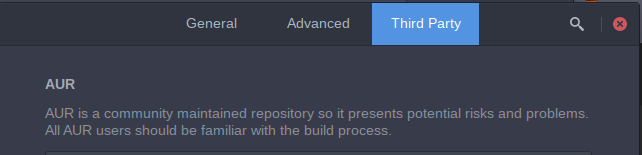
AUR, as a community maintained repository, present potential risks and problems.
As such, although much of the software packages provided by the AUR should work, do not expect the installation process to always be quite as straight-forward as when you are using the official Manjaro repositories.
Again, there is no guarantee that any installed software will work properly, if at all.
Info
You should become familiar with the manual build process in order to be prepared to troubleshoot problems.
i have scanned and searched if any repo that i installed were affected, it doesnt appear so but i was wondering if there were any reliable way to detect if a rootkit is indeed installed on my system after the whole debacle. i know rkhunter but since it’s not really updated i don’t know if it’s reliable anymore.
also i have tried searching for the payloads hash on my system but it hasnt finished yet.
Essentially just wanted to have advice on the matter. what else can i do as of right now and if i’m being too paranoiaque considering etc.
In one of the first posted links there is analysis with a lot of indicators to inspect. Generally first run the comparison script to see if you have something from the list at all.
thank you, as i thought i seem to be out of the woods for now, i checked each repo by hand in case and i understand it is the price we pay for freedom, but i also can’t blame average user for their feelings when a lot of software developers actively rely on aur as a dispatch solution. in the end the only thing you can truly trust is your own eyes and isnt it why we support open source ?
There’s an even better version farther down the thread on that page, which also checks your pacman log to see whether any of the infected package titles were ever installed on your system.
I’ll include the bash code below.
#!/usr/bin/env bash
#
# Pulls the live package list from the official Arch Linux HedgeDoc note.
LIST_URL="https://md.archlinux.org/s/SxbqukK6IA"

START_DATE=${START_DATE:-2026-01-01}
END_DATE=${END_DATE:-2026-06-12}
PACMAN_LOG_GLOB=${PACMAN_LOG_GLOB:-/var/log/pacman.log*}

CURRENT_FOUND=()
HISTORICAL_FOUND=()
LOG_WARNINGS=()

# ---------------------------------------------------------------------------
# 1. Fetch and parse the live infected package list
# ---------------------------------------------------------------------------
echo "Fetching infected package list from $LIST_URL..."

raw=$(curl -fsSL "$LIST_URL") || { echo "ERROR: failed to fetch $LIST_URL"; exit 1; }

mapfile -t INFECTED_PKGS < <(
    echo "$raw" \
    | sed 's/<[^>]*>//g' \
    | grep -E '^[a-z0-9][a-z0-9_.+\-]*[a-z0-9]$' \
    | sort -u
)

if [[ ${#INFECTED_PKGS[@]} -eq 0 ]]; then
    echo "ERROR: parsed 0 packages — something went wrong with the fetch/parse."
    exit 1
fi

# ---------------------------------------------------------------------------
# Helper functions
# ---------------------------------------------------------------------------
date_in_window() {
  local date_value=$1
  [[ "$date_value" < "$START_DATE" ]] && return 1
  [[ "$date_value" > "$END_DATE" ]] && return 1
  return 0
}

install_date_in_window() {
  local raw_date=$1 normalized_date

  normalized_date=$(LC_ALL=C date -d "$raw_date" +%F 2>/dev/null) || return 1
  date_in_window "$normalized_date"
}

read_pacman_log_file() {
  local file=$1

  case "$file" in
    *.gz)
      if command -v gzip >/dev/null 2>&1; then
        gzip -cd -- "$file"
      else
        LOG_WARNINGS+=("Skipped $file: gzip is not installed")
      fi
      ;;
    *.xz)
      if command -v xz >/dev/null 2>&1; then
        xz -cd -- "$file"
      else
        LOG_WARNINGS+=("Skipped $file: xz is not installed")
      fi
      ;;
    *.zst)
      if command -v zstdcat >/dev/null 2>&1; then
        zstdcat -- "$file"
      else
        LOG_WARNINGS+=("Skipped $file: zstdcat is not installed")
      fi
      ;;
    *.bz2)
      if command -v bzip2 >/dev/null 2>&1; then
        bzip2 -cd -- "$file"
      else
        LOG_WARNINGS+=("Skipped $file: bzip2 is not installed")
      fi
      ;;
    *)
      cat -- "$file"
      ;;
  esac
}

scan_pacman_logs() {
  local file
  local log_files=()

  for file in $PACMAN_LOG_GLOB; do
    [[ -e "$file" ]] && log_files+=("$file")
  done

  if [[ ${#log_files[@]} -eq 0 ]]; then
    LOG_WARNINGS+=("No pacman log files matched: $PACMAN_LOG_GLOB")
    return 0
  fi

  {
    printf 'PKG\t%s\n' "${INFECTED_PKGS[@]}"
    for file in "${log_files[@]}"; do
      [[ -r "$file" ]] || { LOG_WARNINGS+=("Skipped $file: not readable"); continue; }
      read_pacman_log_file "$file" | sed $'s/^/LOG\t/'
    done
  } | awk -v start="$START_DATE" -v end="$END_DATE" -F '\t' '
    $1 == "PKG" {
      infected[$2] = 1
      next
    }

    $1 == "LOG" {
      line = $2
      date = substr(line, 2, 10)
      if (date < start || date > end) next

      msg = line
      sub(/^\[[^]]+\] \[ALPM\] /, "", msg)
      split(msg, fields, " ")
      action = fields[1]
      pkg = fields[2]

      if ((action == "installed" || action == "upgraded" || action == "reinstalled") && infected[pkg]) {
        key = pkg SUBSEP date SUBSEP action SUBSEP line
        if (!seen[key]++) {
          printf "%s\t%s\t%s\t%s\n", pkg, date, action, line
        }
      }
    }
  ' | sort -u
}

print_pkg_list() {
  local -n arr=$1
  local pkg

  for pkg in "${arr[@]}"; do
    echo "  - $pkg"
  done
}

# ---------------------------------------------------------------------------
# 2. Checks
# ---------------------------------------------------------------------------
echo
echo "Checking for infected AUR packages (${#INFECTED_PKGS[@]} total)..."
echo "Campaign window: $START_DATE through $END_DATE"
echo

echo "Checking currently installed foreign packages..."
while IFS= read -r pkg; do
  install_date=$(LC_ALL=C pacman -Qi -- "$pkg" 2>/dev/null | awk -F ': ' '/^Install Date/ { print $2; exit }')
  if [[ -n "$install_date" ]] && install_date_in_window "$install_date"; then
    CURRENT_FOUND+=("$pkg (Install Date: $install_date)")
  fi
done < <(pacman -Qmq "${INFECTED_PKGS[@]}" 2>/dev/null)

if [[ ${#CURRENT_FOUND[@]} -eq 0 ]]; then
  echo "  Clean: no currently installed known infected package has an install date in the campaign window."
else
  echo "  WARNING: ${#CURRENT_FOUND[@]} currently installed possibly infected package(s):"
  print_pkg_list CURRENT_FOUND
fi

echo
echo "Checking historical pacman logs..."
while IFS=$'\t' read -r pkg date action line; do
  HISTORICAL_FOUND+=("$pkg ($action on $date) :: $line")
done < <(scan_pacman_logs)

if [[ ${#HISTORICAL_FOUND[@]} -eq 0 ]]; then
  echo "  Clean: no known infected package install/upgrade/reinstall events found in pacman logs during the campaign window."
else
  echo "  WARNING: ${#HISTORICAL_FOUND[@]} historical pacman log event(s) matched:"
  print_pkg_list HISTORICAL_FOUND
fi

if [[ ${#LOG_WARNINGS[@]} -gt 0 ]]; then
  echo
  echo "Log scan notes:"
  print_pkg_list LOG_WARNINGS
fi

echo
if [[ ${#CURRENT_FOUND[@]} -eq 0 && ${#HISTORICAL_FOUND[@]} -eq 0 ]]; then
  echo "Clean: no matches found by current-package or historical-log checks."
else
  echo "WARNING: matches were found. Review the package build files/cache and consider incident-response steps."
fi
echo
Save this script somewhere under ~/.local/bin — I’ve named it check-aur-infected on my system — and give it execute permission.
chmod 700 .local/bin/check-aur-infected
And the test run on my system says…
[nx-74205:/dev/pts/3][/home/aragorn]
[aragorn] >  check-aur-infected
Fetching infected package list from https://md.archlinux.org/s/SxbqukK6IA...

Checking for infected AUR packages (1739 total)...
Campaign window: 2026-01-01 through 2026-06-12

Checking currently installed foreign packages...
  Clean: no currently installed known infected package has an install date in the campaign window.

Checking historical pacman logs...
  Clean: no known infected package install/upgrade/reinstall events found in pacman logs during the campaign window.

Clean: no matches found by current-package or historical-log checks.


[nx-74205:/dev/pts/3][/home/aragorn]
[aragorn] >
That isn’t really necessary, as the script invokes “/usr/bin/env bash” at the hashbang line.
The hashbang line is parsed by the kernel itself, and the kernel will then invoke the correct shell as the script interpreter. Shell scripts are always run in a subshell anyway.
Also, even if one uses zsh, ksh, csh, fish, or any of the other alternative shells, ~/.local/bin should normally always be part of the $PATH, and therefore giving the script execute permission should suffice.