Problems setting up Swapfile, contains holes or unsupported extents

The thing is that the “@” as the fitst character for top-level subvolumes is actually only a convention — it’s not required. It’s just how calamares — the Manjaro installer — creates the subvolumes, and it does that because timeshift will by default also look for those.

It is perfectly possible to create a top-level subvolume without an “@” in its name. :wink:

As Aragorn mentioned, in Btrfs the use of @ is just a convention. It’s commonly used for subvolumes that are intended to be mounted (like @ for /, @home, etc.), but it’s not required. You can name subvolumes anything you like.

In Btrfs, if you want to mount or otherwise work with a subvolume, you typically reference it either by:

  • subvol= (its name)
  • subvolid= (its ID)

In your example, @swapfile is mounted via fstab at /swapfile. Once mounted, you’re interacting with it through that mount point; not by its subvolume name directly.

This is a common pattern in Btrfs: many commands operate on paths rather than explicitly on subvolume names. That said, it’s a helpful convention because it makes mountable subvolumes easy to distinguish, and it’s a common convention to follow. If a command expects a subvolume, you can usually just pass a path that resides on that subvolume.

e.g.

btrfs sub show .

This shows information about the subvolume containing your current directory. So the output depends on where you run it. Chances are you are on your root (/) aka subvol=@ ; or subvol=@home aka /home, or You may need to cd into a subvolume for it to return meaningful results.

You will find most commands will want a path rather than a subvol name or ID, but there are exceptions.

From man btrfs-subvolume (the btrfs delete subcommand), you can either pass a path or ID:

-i|--subvolid <subvolid>
  subvolume id to be removed instead of the <path> that should point to the filesystem with the subvolume

(So you can delete subvolumes without mounting them.)


I started learning btrfs just by reading their man pages. They are actually pretty useful. You can runman btrfs, and you will see these at the bottom:

SEE ALSO
       btrfs(5) <>, btrfs-balance(8) <>, btrfs-check(8) <>, btrfs-convert(8) <>, btrfs-device(8) <>, btrfs-filesystem(8) <>, btrfs-inspect-internal(8) <>, btrfs-property(8) <>, btrfs-qgroup(8) <>,  btrfs-quota(8)  <>,
       btrfs-receive(8) <>, btrfs-replace(8) <>, btrfs-rescue(8) <>, btrfs-restore(8) <>, btrfs-scrub(8) <>, btrfs-send(8) <>, btrfs-subvolume(8) <>, btrfstune(8) <>, mkfs.btrfs(8) <>

So you can..

man btrfs-subvolume
man btrfs-filesystem
man btrfs-scrub
# etc
1 Like

This is because btrfs subvolumes are actually a kind of bind-mounts. :wink:

Thank you for the explanation, both of you. =)

Unfortunately,this doesn’t really answer my question of should I use /@swapfile/swapfile instead for the procedure Molski outlined. Because I fail at the very first already :sweat_smile::
swapoff: /swapfile/swapfile: swapoff failed: No such file or directory

I don’t have any experience with swap on btrfs. Perhaps I should correct that at some point.

In any case - it is advised to read the documentation - please see the documentation for swapfile on btrfs

That was to disable swap before you move it. Is it disabled already?

That means there is no swap enabled at that location. Everything you have given me so far, said there was?

If you type free, it will tell you memory information, and the second line is swap. Are you even using swap?

/@swapfile/swapfile doesn’t exist, and neither does the directory /@swapfile (unless you created it manually, which would just make things more confusing).

What may be tripping you up is how subvolumes are accessed.

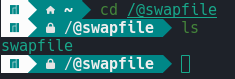
You should have mounted the @swapfile subvolume at /swapfile, so the actual path you should be using is:
/swapfile/swapfile

After mounting the top-level subvolume (subvol=/ or subvolid=5), you can see everything from there. Subvolumes will appear as directories. If you just: ls -lh /mnt while it’s mounted.

That may or may not clear some things up. Subvolume names are just unique labels, you have to mount them somewhere in your file system.

Informational:

Just a cursory explanation of a warning such as this:

A swap file is ideally desired to be contiguous. If it is not – if it becomes fragmented – the file is no longer contiguous, and the file is then said to have holes.

1 Like

This is a result of either copy-on-write or compression, both of which should be disabled for a swap file.

The principle behind how swap works is that the kernel must be able to access the raw drive blocks. With compression and/or copy-on-write, this is impossible.

1 Like

Yes, of course, we did test it. Take a look:

               total        used        free      shared  buff/cache   available
Mem:           31997        7319       16491         245        8056       24678
Swap:           6143           0        6143


image

I’m not imagining things. :sweat_smile:

I’m sorry about the confusion and I might’ve messed something up here but in my defence: I was just following the instructions of the (outdated) guide. :see_no_evil_monkey:

That step is optional.

You can make all the changes and reboot, and the result is the same.

The command:

sudo swapoff

You pass it a device (or swap file), and it disables swap seemingly instantly. So obviously, you did not put the swap file there.

And it was only needed to move your swap file (or you could have rebooted after disabling it instead).

And with that screenshot, I now see where it is.

I just started with what you had, or seemingly wanted, and that was to put it in:

  • /swapfile/swapfile

But you put it in:

  • /@swapfile/swapfile

So you just needed to pass where ever you put it:

sudo swapoff /@swapfile/swapfile

The preceding @ is meant for subvolume names, only by convention, but you are just making it more confusing. Though nothing is technically wrong with that.


I feel this may be too complex for you, but if you’re willing to learn..

And if you are doing any renaming, you may as well make it simpler.

The most sensible layout would be:

  • Create a subvolume named @swap
  • Mount it at: /swap
  • Store your swap file as: /swap/swapfile

The condition of the first point is @swap a parent ID of subvolid=5. (You created it off the top level subvolume.)

I did give step by step instructions to put it in /swapfile/swapfile. But I was expecting you to try to understand the commands you were executing.

1 Like

This topic was automatically closed 3 days after the last reply. New replies are no longer allowed.