Thanks for your translation 
I just updated my last post with the content of my USB stick, you can have a look there.
Thanks for your translation
I just updated my last post with the content of my USB stick, you can have a look there.
Well, that’s certainly the correct version; although, I’d usually recommend using the full ISO to make sure everything I need is already available.
If it was the strawberry-bin binary package the process would have taken less time. Nonetheless, it seems more likely to have been from the repo, given that AUR wasn’t configured.
Currently Strawberry isn’t a concern…
If you’re absolutely positive you are now in Stable, using the downgrade command given earlier should result in no more warnings next time you perform an update.
The alternative is to suffer the warnings until the Unstable versions reach Stable. It’s your choice.
No idea anymore.
I didn’t need it for myself, but was just trying to verify/recreate a problem someone else had.
Booted up a VM and tried.
As I often do, to be sure that I know what I’m talking about …
That doesn’t seem to exist, the only binary I can find is in the repos.
Well, there isn’t a strawberry-bin, I think, but I used that only as an example. There’s a… strawberry-lite, strawberry-qt5… and others, but these are all from AUR or GitLab so these we’re not concerned with.
My guesses/deductions account for the issues you’ve described…your assumptions don’t.
Well if we knew what went wrong (ie an error message) maybe we could say for sure.
You installed it, so what did you do to fix your issue with installing strawberry?
What was the issue in the first place?
AFAIK octopi couldn’t install radiobox as it’s a snap, and AFAIK octopi hasn’t been included on an official iso for years.
Here’s a picture of octopi:
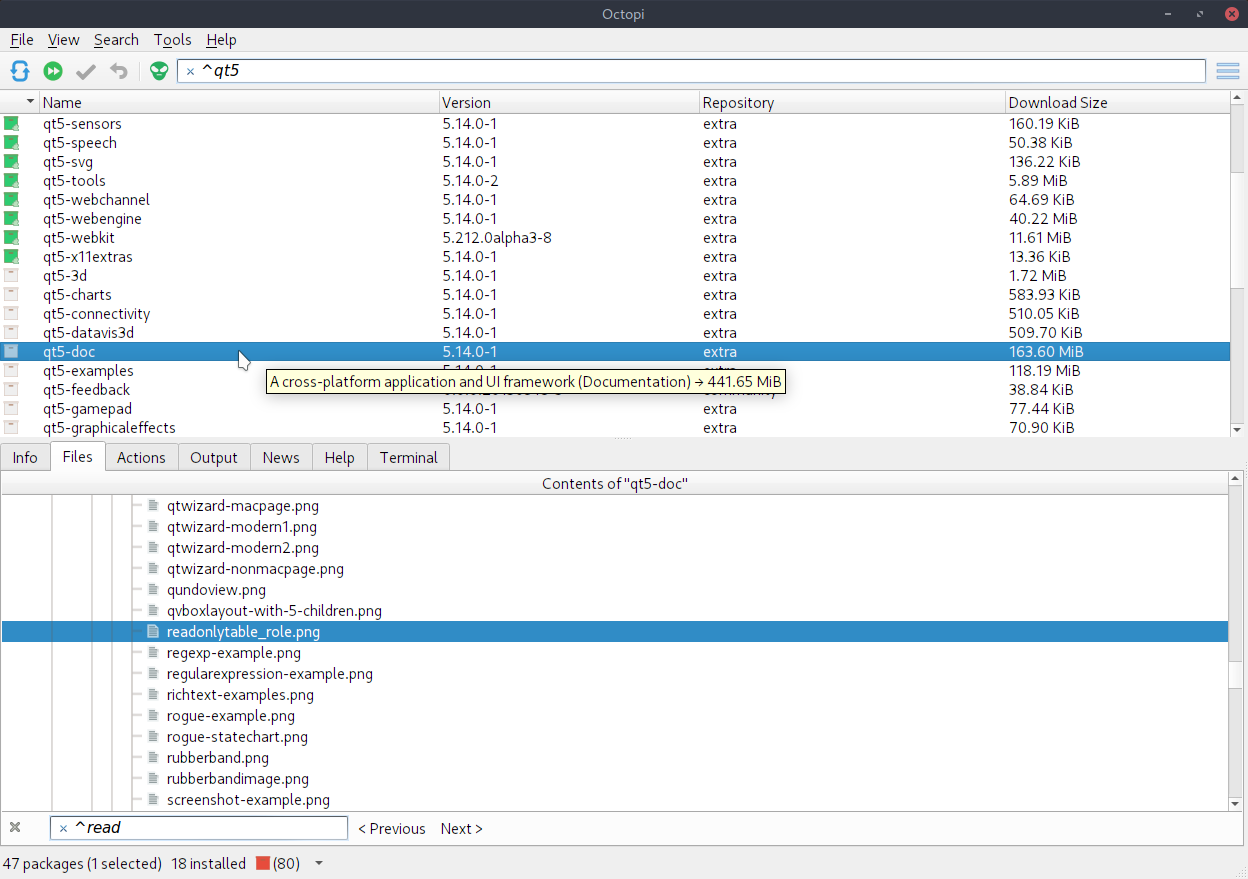
You were almost certainly using pamac-manager.
At this rate we could go on and on for years…without proper information we can only guess.
I know.
not … strawberry-bin
I took that more as a metaphor for several other versions that are AUR, are compiled and not just ready made and installed …
I’m just confusing and polluting the thread now with irrelevant stuff - I’ll be gone and just watch.
Sorry, I am not able to answer most of your questions because I did not make any notes or screenshots when I tried to install the strawberry package. Because I did not expect an error to occur. Before I found out that I would like to install the strawberry package, I typed the word “radio” into the search field of the GUI of the graphical package manager I was using at that moment, and at the end of the search result list, the strawberry package was specified, so I clicked and tried to install it.
And yes, you are right, at that moment I did not use the octopi package manager, I just checked a screenshot of it in the Manjaro Wiki. I do not know which GUI manager I had been using in that moment, but it must have been “pamac-manager”, which is currently set in the KDE start menu.
I think you’re more confident than I was in my previous post! Indeed, those version number mismatches will disappear in due course.
But, as I should have said, this does leave the system in an unsupported state, at least during this period.
Honestly I didn’t expect any answers. However if you can’t answer those questions then you can’t be sure what you did.
Just fix your system and be done with it.
I’d suggest posting pacman logs, but we’d probably be looking for a rusty needle in a very large, bug-infested haystack, by this point!
Why do I always forget the logs.
Hey, I have a damnd good idea: I will reinstall Manjaro from the same iso file which I downloaded two days ago and will try to reproduce what I have experienced so far
If something goes wrong like when I again will try to install the strawberry package, then I will update this thread here.
If I am lucky, my 2nd Manjaro installation will become and stay in an stable state
My first Manjaro install only lasted 2 or 3 months before I’d borked it beyond reasonable repair! You are not on your own, here.
Second time lucky I suppose; this one’s been going for around 7 years, so it’s worth learning about this stuff, for sure.
If I were you, I’d rather check the logs, or just fix it and get on with my life.
However if you want to do that, I’d be interested in the results.
There is absolutely no need for that. You have already been given instructions to recover; all you need do is… use them.
But, I digress. It’s your machine.
Install.
Update. (mirrors and then the system)
Then install new/additional stuff.
I just checked the content of the pacman.log again. This is the first line in it:
[2024-10-05T16:00:15+0200] [PACMAN] Running ‘pacman --noconfirm --cachedir /var/cache/pacman/pkg --config /opt/mhwd/pacman-mhwd.conf --root / --needed -Sy xf86-video-a
ti xf86-video-amdgpu xf86-video-intel xf86-video-nouveau vulkan-intel vulkan-nouveau vulkan-radeon libva-mesa-driver libva-vdpau-driver mesa-vdpau lib32-vulkan-intel l
ib32-vulkan-nouveau lib32-vulkan-radeon lib32-libva-vdpau-driver lib32-mesa-vdpau’
So the pacman log covers everything from two days ago when I downloaded and installed from the Manjaro iso file.
If I get confronted with the same errors described here in this thread after my 2nd installation of Manjaro, then it should be worth to have a look into the pacman.log file, I gues…
Of course I am always doing installations like you are suggesting:
First install from the iso file.
Reboot
Apply all necessary updates - because the content of an iso file is in the most cases older than the current software components of the respective OS
Reboot
Then install all additional software.
Thanks for posting that, but surely there must be much more in there?
Here’s an excerpt of mine from when I installed this 7 6 year old installation:
less /var/log/pacman.log
[2018-10-04 21:37] [PACMAN] Running 'pacman --noconfirm --cachedir /var/cache/pacman/pkg --config /opt/pacman-mhwd.conf --root / --needed -Sy xf86-video-ati xf86-video-amdgpu xf86-video-intel xf86-video-nouveau vulkan-intel vulkan-radeon libva-mesa-driver libva-vdpau-driver mesa-vdpau lib32-vulkan-intel lib32-vulkan-radeon lib32-libva-vdpau-driver lib32-mesa-vdpau'
[2018-10-04 21:37] [PACMAN] synchronizing package lists
[2018-10-04 21:38] [ALPM] transaction started
[2018-10-04 21:38] [ALPM] installed xf86-video-ati (1:18.0.1-1)
[2018-10-04 21:38] [ALPM] installed xf86-video-amdgpu (18.0.1-1)
[2018-10-04 21:38] [ALPM] installed libxvmc (1.0.10-1)
[2018-10-04 21:38] [ALPM] installed xf86-video-intel (1:2.99.917+829+gd7dfab62-1)
[2018-10-04 21:38] [ALPM-SCRIPTLET] >>> This driver now uses DRI3 as the default Direct Rendering
[2018-10-04 21:38] [ALPM-SCRIPTLET]     Infrastructure. You can try falling back to DRI2 if you run
[2018-10-04 21:38] [ALPM-SCRIPTLET]     into trouble. To do so, save a file with the following
[2018-10-04 21:38] [ALPM-SCRIPTLET]     content as /etc/X11/xorg.conf.d/20-intel.conf :
[2018-10-04 21:38] [ALPM-SCRIPTLET]       Section "Device"
[2018-10-04 21:38] [ALPM-SCRIPTLET]         Identifier  "Intel Graphics"
[2018-10-04 21:38] [ALPM-SCRIPTLET]         Driver      "intel"
[2018-10-04 21:38] [ALPM-SCRIPTLET]         Option      "DRI" "2"             # DRI3 is now default
[2018-10-04 21:38] [ALPM-SCRIPTLET]         #Option      "AccelMethod"  "sna" # default
[2018-10-04 21:38] [ALPM-SCRIPTLET]         #Option      "AccelMethod"  "uxa" # fallback
[2018-10-04 21:38] [ALPM-SCRIPTLET]       EndSection
[2018-10-04 21:38] [ALPM] installed xf86-video-nouveau (1.0.15-2)
[2018-10-04 21:38] [ALPM] installed vulkan-intel (18.1.3-0)
[2018-10-04 21:38] [ALPM] installed vulkan-radeon (18.1.3-0)
[2018-10-04 21:38] [ALPM] installed libva-mesa-driver (18.1.3-0)
[2018-10-04 21:38] [ALPM] installed libva-vdpau-driver (0.7.4-3)
[2018-10-04 21:38] [ALPM] installed mesa-vdpau (18.1.3-0)