Allwinner H728/A523/A527/T527 initial support thread

Hi! Thanks for dropping linux-sunxi-6.17-1-aarch64.pkg.tar.zst.

Update after upgrade:

Gigabit Ethernet
end0 worked out of the box despite reg still pointing to 0x01.

However, after a reboot I got this again:

[   12.174276] sun55i-gmac200 4510000.ethernet end0: __stmmac_open: Cannot attach to PHY (error: -19)

I’ve seen this before — switching to 0x00 fixed it last time. Will keep an eye on it; the behavior seems intermittent.


EMMC
Still have Android on the system; I just snugged 32GB from the user data partition.

I can chroot into the rootfs on eMMC, but on first attempt to run:

pacman -U linux-sunxi-6.17-1-aarch64.pkg.tar.zst

…I eventually hit:

[ 1923.658021] sunxi-mmc 4022000.mmc: data error, sending stop command
[ 1924.655536] sunxi-mmc 4022000.mmc: send stop command failed

The upgrade worked on the second attempt.

Then ran:

pacman -Suy
Total Download Size:    278.07 MiB
Total Installed Size:  1099.89 MiB
Net Upgrade Size:         2.14 MiB

But the system failed late in the update process with repeating:

[  707.053328] sunxi-mmc 4022000.mmc: data error, sending stop command
[  708.933454] sunxi-mmc 4022000.mmc: send stop command failed

Subjectively feels a bit more stable though — fsck.ext4 succeeds every time now.

Still, can’t use eMMC as a daily setup yet.


USB3 Power
I get the HDD to spin up using a cable mod, but it only works reliably on the USB2 port. Feels like an EMI issue — waiting on parts for another iteration.

1 Like

Thanks again for the detailed description. I will try to find solution to these problems.

About usb3 I found hardmode, that solves this problem: https://4pda.to/forum/index.php?showtopic=1094601&st=220#entry133282413

I can check that too, but only after a few weeks

1 Like

Thanks for the link to the USB3 power mod — appreciate the pointer, even if it’s a bit hard to make out exactly what’s going on in that pic.

I decided not to mess with the board itself and went the external power route. My first attempt was with a cheap powered USB hub — that didn’t work at all.

Then I tried a USB3 SATA adapter where I swapped the VCC fuse for a Schottky diode (SS24). That actually worked pretty well and got things going, but I wanted a more flexible setup.

Next up was a modded unpowered USB3 hub using the same diode trick — no luck there either. After that, I salvaged a USB3 cable and applied the same method. The drive spun up and was recognized as a USB3 device, but I must’ve compromised the shielding too much — ended up with data errors and throughput no better than USB2.

As I found out later, USB3 is really sensitive to shielding and signal integrity. Lesson learned. The Schottky diode is definitely a must, though, because of VCC sensing.

Still planning to try modding an USB3 A male to A female adapter next (waiting for parts). Otherwise, I’ll fall back to the USB3 SATA adapter since that worked reliably so far.

Please check if emmc is working now better now


$ mount | grep blk2
/dev/mmcblk2p29 on /mnt type f2fs (rw,relatime,lazytime,background_gc=on,nogc_merge,discard,discard_unit=block,user_xattr,inline_xattr,acl,inline_data,inline_dentry,flush_merge,barrier,extent_cache,mode=adaptive,active_logs=6,alloc_mode=default,checkpoint_merge,fsync_mode=posix,memory=normal,errors=continue)
[oem@manjaro-arm ~]$ sudo dd if=/dev/zero of=/mnt/foo.file bs=1M count=1000 oflag=direct status=progress
993001472 bytes (993 MB, 947 MiB) copied, 13 s, 76.4 MB/s
1000+0 records in
1000+0 records out
1048576000 bytes (1.0 GB, 1000 MiB) copied, 13.7345 s, 76.3 MB/s
[oem@manjaro-arm ~]$ time sudo md5sum /mnt/foo.file
e5c834fbdaa6bfd8eac5eb9404eefdd4  /mnt/foo.file

real    0m5.915s
user    0m0.015s
sys     0m0.039s
[oem@manjaro-arm ~]$
2 Likes

Seems like you’ve really got it stable now — respect :raised_hands:

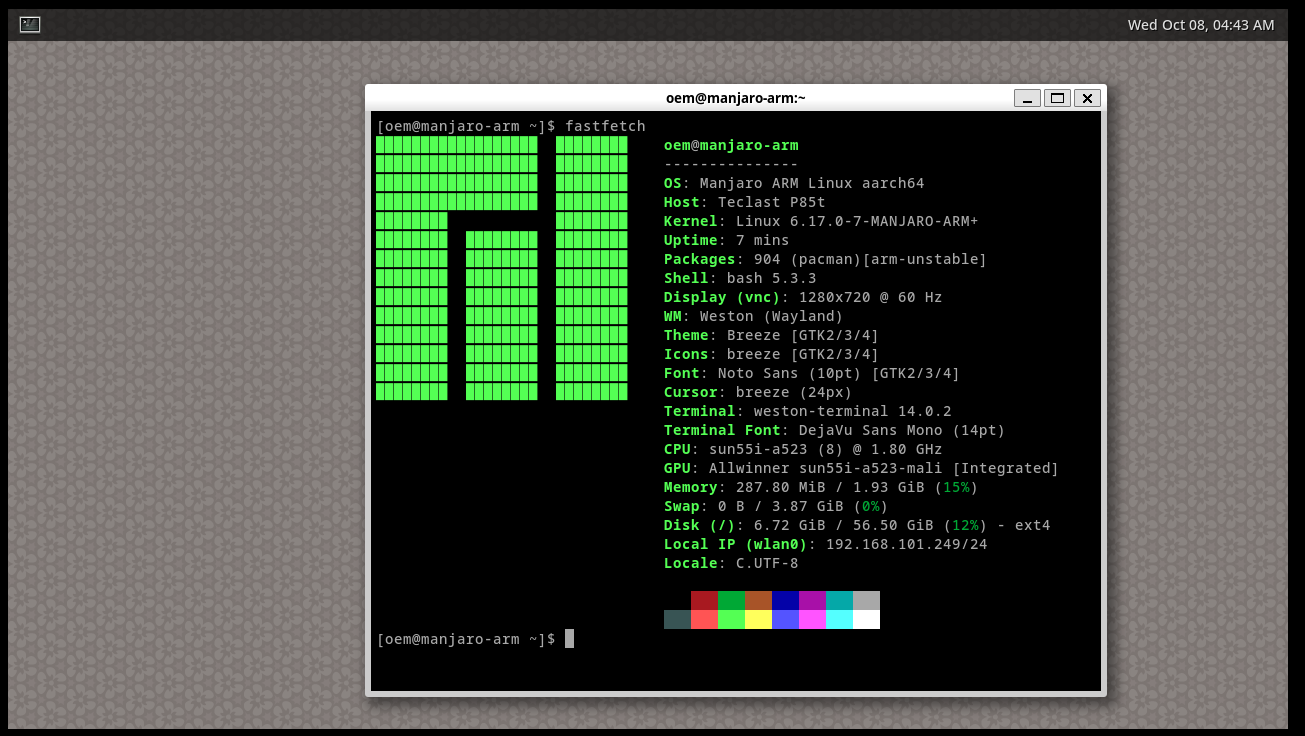
Did a dd test and full pacman -Syu — no eMMC errors in dmesg, which is great. Also getting end0 consistently at boot now, whereas before it was hit or miss. Care to share what made the difference?

I managed to strip out my box’s android.dtb, but it looks like no further digging is needed for now. I am curious, though — would it be possible (or safe) to swap the sun55i-h728-x96qpro+.dtb with the Android one? Just to clarify, the Android DTB has ethernet-phy@1 set to reg = <0x01>, so please disregard my earlier suggestion that it needed to be <0x00>.

1 Like

That sounds good, thanks for report

If you replace dtb in android or mainline, the device will most likely not start, because it has other compatible strings in it.

I’ve made a lot of small changes, and will need to figure out exactly what led to the improvement. That will take some time. But my changes were aimed at the emmc. Perhaps something indirectly affected eth as well

I hope that another interesting device for running Manjaro on it will appear soon.

Summary

2 Likes